Smoothing
Checking the Smoothing tickbox will display the Items in the 3D Window as "smoothed".
Select 3D > View > Textures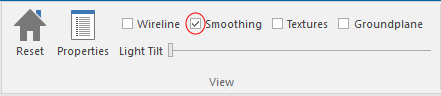
 Search Tips
Search is based on keyword.
Eg: "Overlays"
Do not search with natural language
Eg: "How do I create a new overlay?"
Contact Support
Checking the Smoothing tickbox will display the Items in the 3D Window as "smoothed".
Select 3D > View > Textures
Last updated on Friday, June 19, 2026
Copyright (c) NEC Software Solutions UK Limited 1991-2026