Search Tips
Upgrade to the latest version of SIS Desktop
SIS Desktop is re-released periodically with important updates and enhancements. For news on upgrades, see the Community Portal  or speak to your Account Manager.
Before upgrading
- Check which add-ins or applications are installed already in your existing version of SIS Desktop. To do this click View > Manage > Programs.
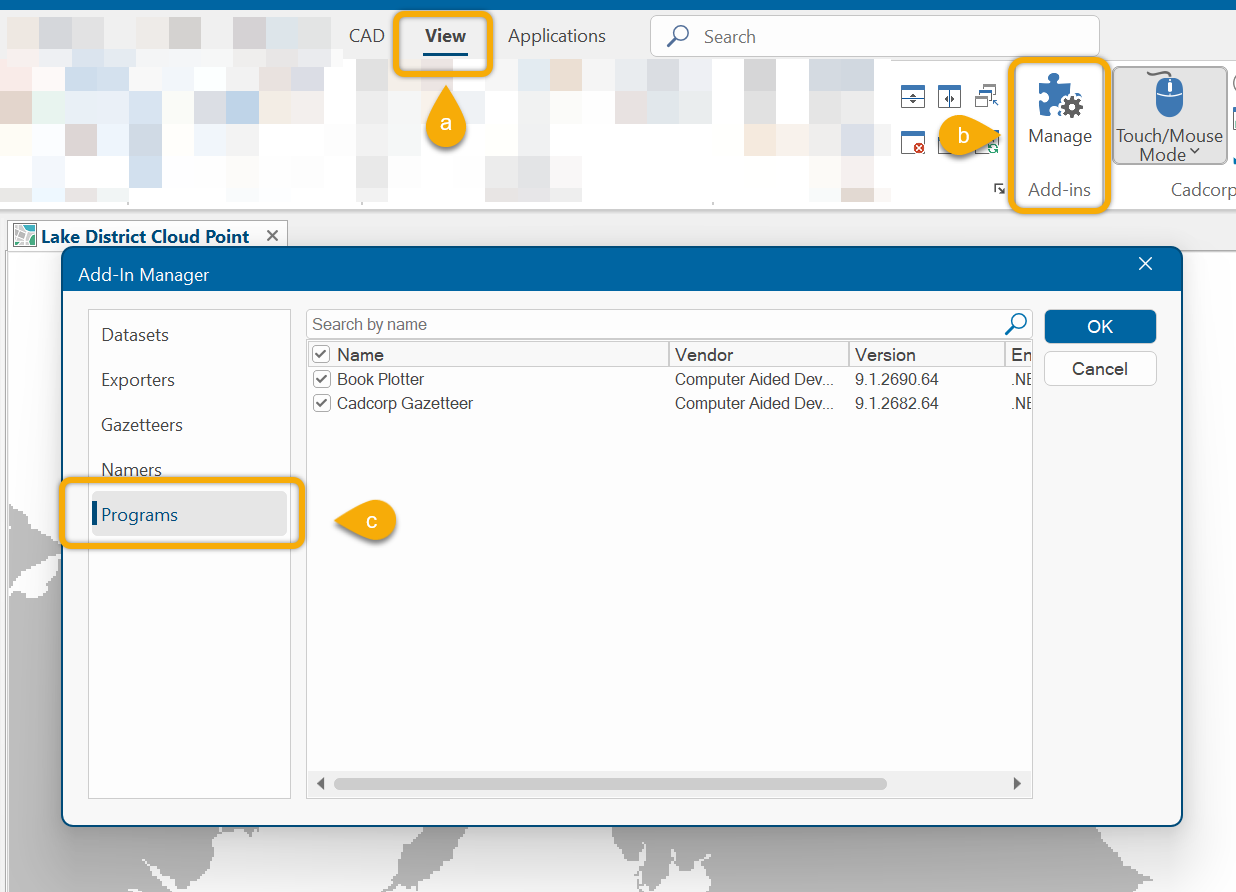
- Note that the 3D Backdrop Downloader and NEC SIS Gazetteer are included as part of the standard SIS Desktop installation.
- Check which Named Object Library (.nol) files are in use. Named Object Libraries (NOL)
 hold a range of core information used by SIS Desktop and GeognoSIS. You may have added your own NOL files to store custom Print Templates. These are usually stored in
C:\Program Files\Cadcorp GeognoSIS 9.1 and are automatically loaded when opening SIS Desktop.
hold a range of core information used by SIS Desktop and GeognoSIS. You may have added your own NOL files to store custom Print Templates. These are usually stored in
C:\Program Files\Cadcorp GeognoSIS 9.1 and are automatically loaded when opening SIS Desktop. - Now uninstall the existing version of SIS Desktop.
- Download the new installer from Downloads - NEC Software Solutions
- The default SIS Desktop installation folder is now C:\Program Files\NEC SIS Desktop 9.1
- After installation, return to the Downloads page and download and install the applications and add-ins you previously used.
- Check the C:\Program Files\NEC SIS Desktop 9.1\Libraries folder and copy from your backup any custom NOL files you require.
- Restart your computer.
Remember during installation
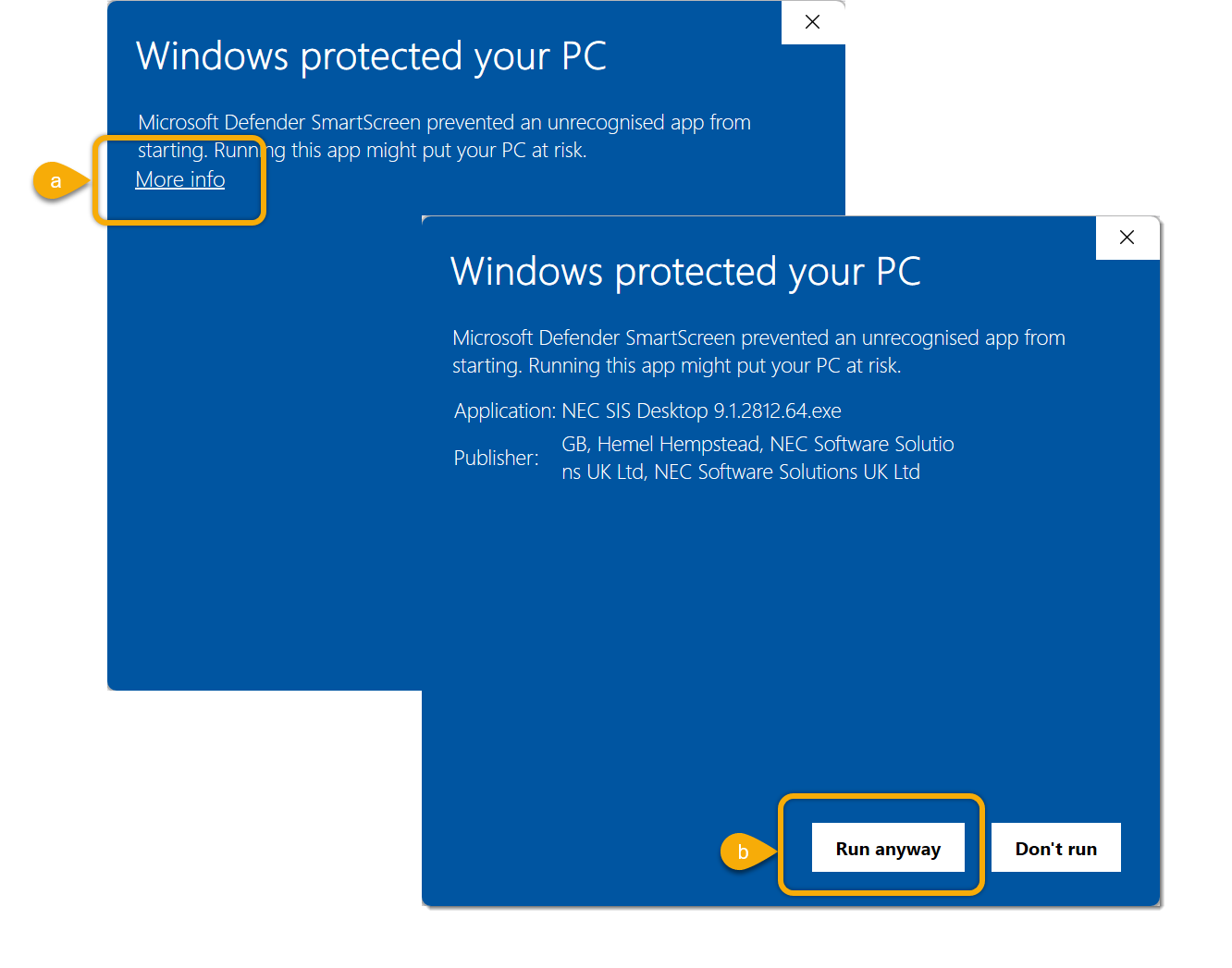
You may see the Defender Smart Screen (or similar) protection warning about unrecognized applications. This is due to a lower level of certificate being applied to the installation executable. The installer is still safe to run.
Click on More info and then Run anyway.