 Search Tips
Fixing the Symbol size
Use this option to display the symbol at its created size or a factor of its created size as required.
To ensure the symbol is displayed at the correct scale select Overlays > Styles > Scale Overrides and enter a value of -1 in the Point field.
.png)
This sets the Point scale override property (_pointScaleOverride# attribute) to -1. This may be observed by clicking the Properties button in any of the Overlays dialog tabs (except Preview) to display the Overlay properties:
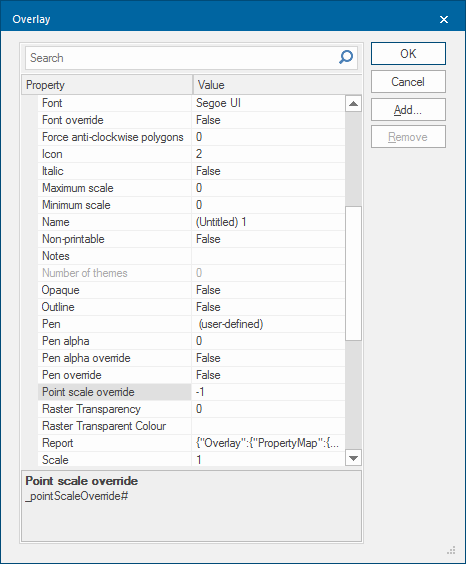
Point scale override is a built-in property in SIS Desktop 9.1 and does not need any changes.
With Point scale override set to a value of -1 (minus one) the symbol will be displayed at its true size. (True Size is the size of the symbol when it was created).
For example the standard circle symbol in SIS Desktop 9.1 was created to be 10mm in diameter, SIS Desktop 9.1 will display a 10mm circle symbol when the _pointScaleOverride# value is set to -1.
If the value is set to -0.5 the symbol will be displayed at half its true size. If the value is set to -2 it will be displayed at twice its true size, -4 will display the symbol at four times its true size and so on.