FindIT Add-In
FindIT is a licensed extension  to SIS WebMap. It provides a simple way to query a large number of data layers by user-defined area.
If you have access to FindIT, you will see the option on your main drop-down screen.
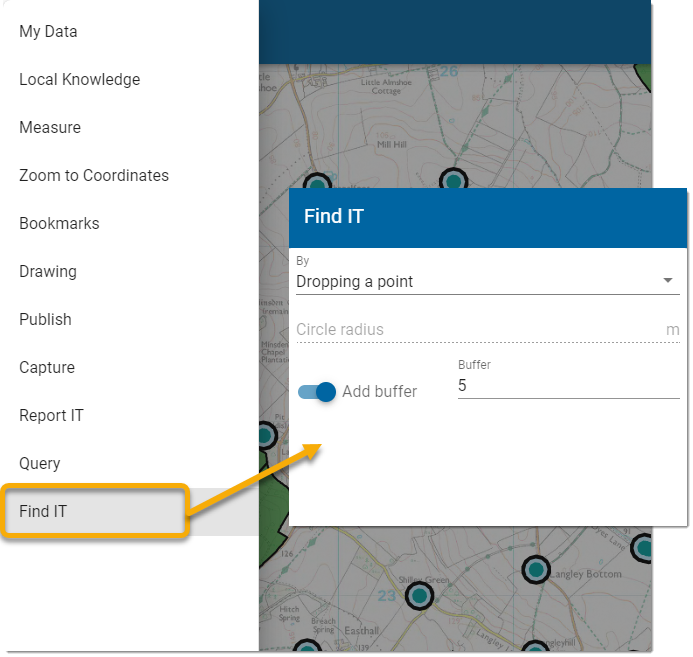
Select your desired method of defining the search area and click Next.
 1. Draw an area
- Click once on the map and drag to start drawing.
- Click at each vertex of the shape and double-click to finish.
- Enable Add Buffer to widen the search by a defined unit (usually meters)
- Press Next and fill in the Report's Title and text (optional).
- Press Run to start querying the layers.
2. Select an existing feature
- Click on the desired feature on the map.
- The feature and its attributes are displayed along with the layer on which it is available.
- Select the required feature and click Run.
Note: MasterMap features cannot be selected in this option.
3. Drop a point
- Click a point on the map to be searched.
- If required, specify a buffer distance around the point to be included in the search.
- Click Run to run the query.
Note: Double-click to finish drawing lines and polygons. Only one item can be selected at a time; click Select again to choose other items.
4. Drawing a circle
- Begin by specifying the circle radius.
- If required, specify a buffer distance around the circle to be included in the search.
- Click Run to run the query.
The results of your search are seen in the left-hand pane. Overlays that do not return any results from Find IT are not included in the results panel.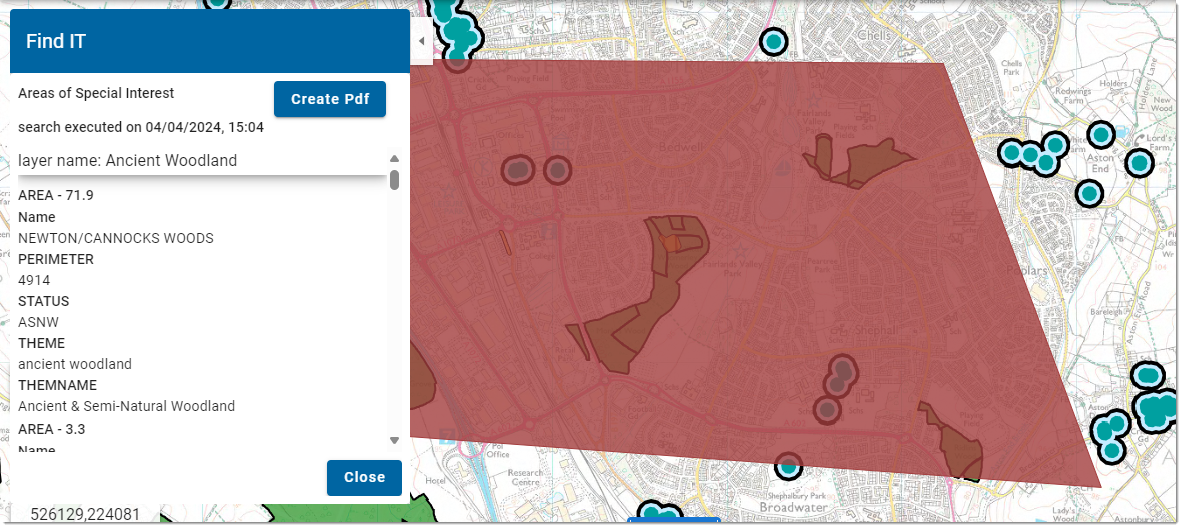
FindIT highlights the selected feature from the results dialog, zooming to and selecting the feature. You also have the option of switching the original search feature on and off.
Different FindIT queries can now be run on individual maps. Multiple selected features will be automatically merged when you presses Search.
TIP: For more on FindIT configuration, see here