Creating new Feature Tables
You can create a new feature table in which you can define all the properties of each feature code. First make sure that the library where you wish to store your new feature table is the current library, then use one of the following methods:
Creating a new empty Feature Table
Creating a Feature Table based on an existing Feature Table
Creating a new empty Feature Table
- In the Libraries Control Bar display the local menu for the library which will contain the feature table.
- Choose New Object... from the menu.
.gif)
The New Object dialog will be displayed:
-Feature Table.gif)
Select Feature Table from the drop-down list and click OK. A new empty Feature Table will be created:
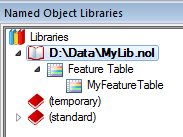
- Display the local menu for the new feature table and choose Properties...:
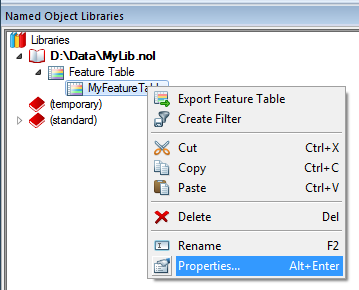
- The Features dialog will be displayed.
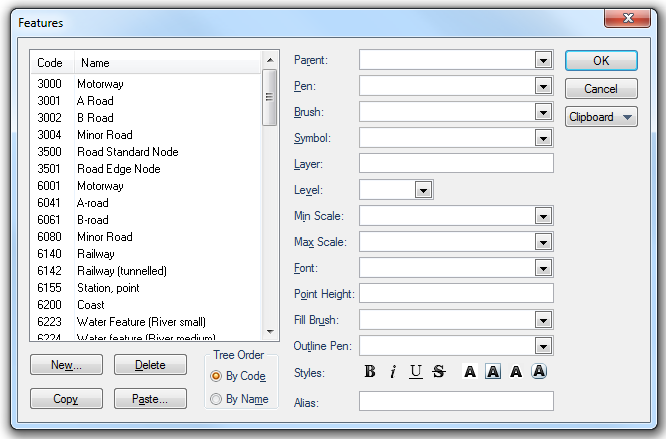
- Use the New... button to create new feature codes, and define their properties as required, on completion click OK.
- Use the local menu to rename the Feature Table in the Libraries Control Bar.
-Rename.gif)
Creating a Feature Table based on an existing Feature Table
If you want to base your new feature table on an existing one, select the source feature table in the Libraries Control Bar, and copy and paste to the destination library. Once there you can rename this editable copy, and:
- amend the existing feature codes
- delete the existing feature codes
- create new feature codes using the New... button
Send comments on this topic.
Click to return to www.cadcorp.com
© Copyright 2000-2017 Computer Aided Development Corporation Limited (Cadcorp).