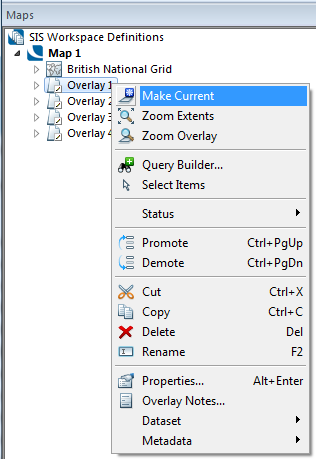
The current overlay is the one to which changes are made when you carry out operations in the Overlays dialog, such as changing the overlay pen or setting the status.
When you create your own data, you should make sure it is put on the overlay you require by first making that overlay current.
To make an overlay current click on it in the Overlays dialog, or use the Maps Control Bar > Make Current command.
In the Overlays dialog, the current overlay is the one in which new data is stored. Its name is displayed in bold type in the Maps Control Bar.
Overlay, and Overlay Group, names are italicised if the current window is a Map Window and the display scale is outside the Overlay scale thresholds (or the scale thresholds of all Overlays in an Overlay Group), or if the current window is a Table Window and the Overlay is not the selected Overlay.
Send comments on this topic.
Click to return to www.cadcorp.com
© Copyright 2000-2017 Computer Aided Development Corporation Limited (Cadcorp).