 Search Tips
Adding Notes to an overlay
Each overlay can include some descriptive text. You can create notes for an overlay or edit existing ones using either of these methods:
Method 1
1. Right click to open the Maps Control Bar and choose Overlay Notes.
Start typing in your notes in the resizeable text window. Click OK when you are done.

Method 2
2. In the second method, select the overlay on the General tab of the Overlays dialog. Type the required text in the Notes text box on the Overlays dialog:
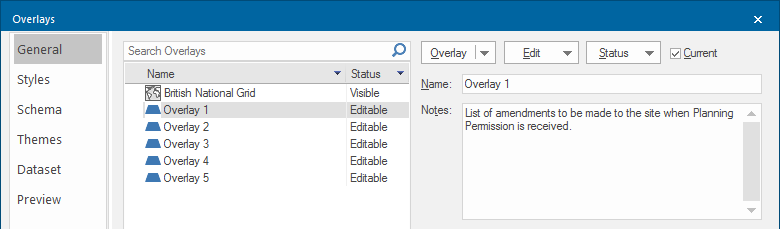
The overlay notes are saved with the SWD but not attached to the dataset. This means whenever you select the overlay on the General tab, you will see the associated notes.