 Search Tips
Renaming overlays
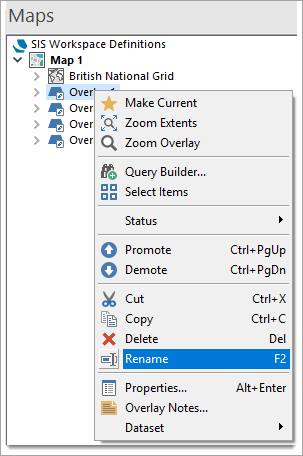
To rename an overlay, open the Maps Control Bar (right click on the overlay to open this menu)
- Select the overlay name and click a second time to make it editable. Type in the new name. (or)
- Select the overlay name, press F2 and type a new name. (or)
- Select the overlay name with the right button and use the local Rename command to make the name editable.
In any of the Overlays dialog tabs (except Preview) select the overlay and type a new name in the Name box:
