Removing overlays from the SIS Workspace Definition (SWD)
The Delete button on the General page (Edit area) of the Overlays dialog removes the selected overlay or overlays from the SIS Workspace Definition (SWD).
Alternatively, use the overlay’s local command Delete in the Maps Control Bar.
- removing external datasets has no effect on the existence of the file or on the data within it.
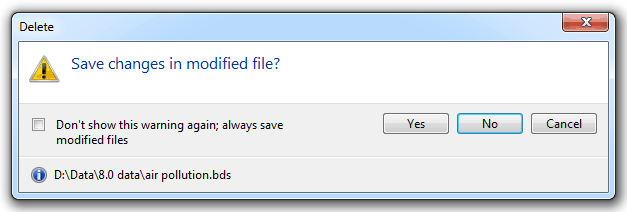
- removing a BDS file does not affect the existence of the file on the disk. However, all changes made to the BDS during this session will be lost. You are therefore given the choice of saving changes to the file before you remove it:
- data created on an internal dataset is saved only when you use Save [File-Save]. (An internal dataset is saved as part of the SWD file.) Therefore, if you remove an internal dataset, all data on it will be lost. You will be reminded of this by the following prompt:
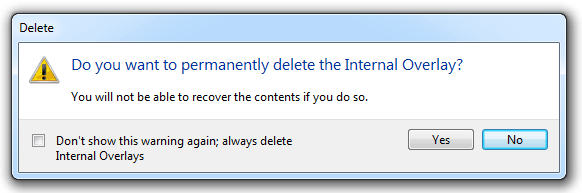
The messages include a tickbox to prevent the messages being shown every time the operation is carried out.
Send comments on this topic.
Click to return to www.cadcorp.com
© Copyright 2000-2017 Computer Aided Development Corporation Limited (Cadcorp).