Search Tips
Matrix
Matrix finds a matrix of the best routes between multiple start points in an overlay to multiple end points in another overlay. . an iso-route (traced network) from a point.
Use this option to calculate a ‘time-travel’ matrix, i.e. you define a set of points you want to measure from and a set of points you want to measure to.
Select Analysis > Routing > Matrix
This opens the Matrix dialog:
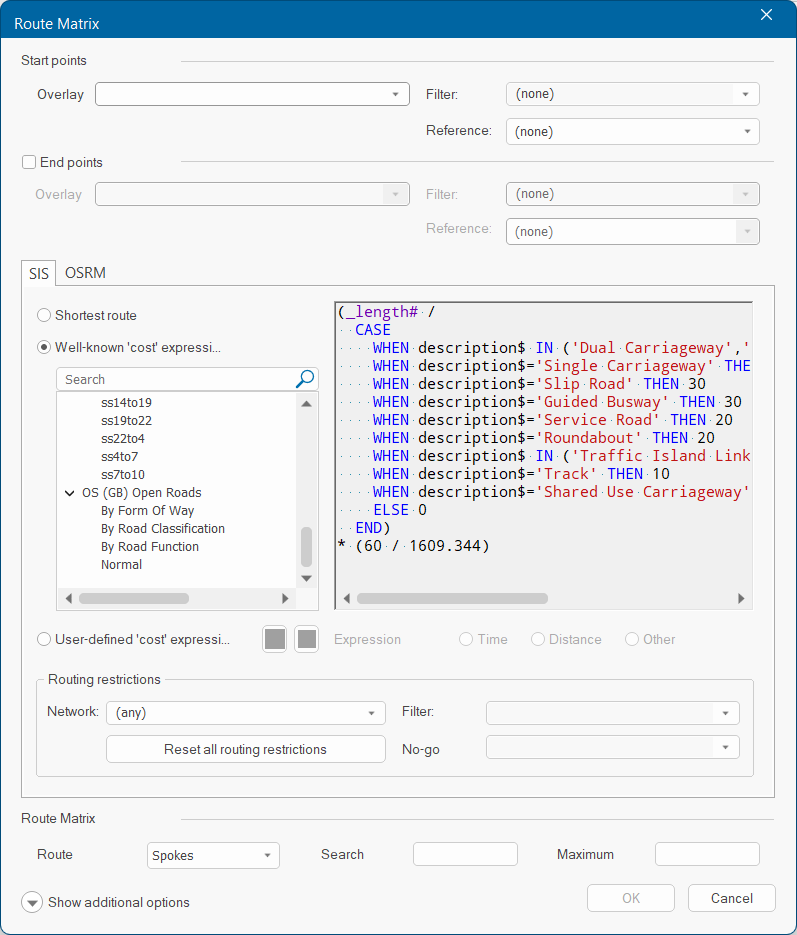
Use the drop-down menus to choose the From and To overlays. This can be the same or different overlays.
Filter: Specify a filter to use when looking for Links and Nodes on the routing network. For instance to create only spokes for a certain incident type, filter by type$ = 'Primary Fire'.
Reference: This is an attribute carried over the the spoke overlay; you can apply a theme to the attribute (for instance use custom line colours for different incident types).
Routing Options: Select either SIS or OSRM.
Routing Restrictions
| Network | Select the overlay that contains the routing network. To select all overlays, leave the menu option as "any". |
| Filter | Specify a filter to use when looking for Links and Nodes on the routing network. |
| No-Go | Specify a no-go area to use when looking for Links and Nodes on the routing network. A No-go area is simply a user-defined area of the map which routes cannot pass through (for eg: an area of flooding or avoiding roads within x metres of an incident). A No-go area is a type of spatial filter. |
Route Matrix
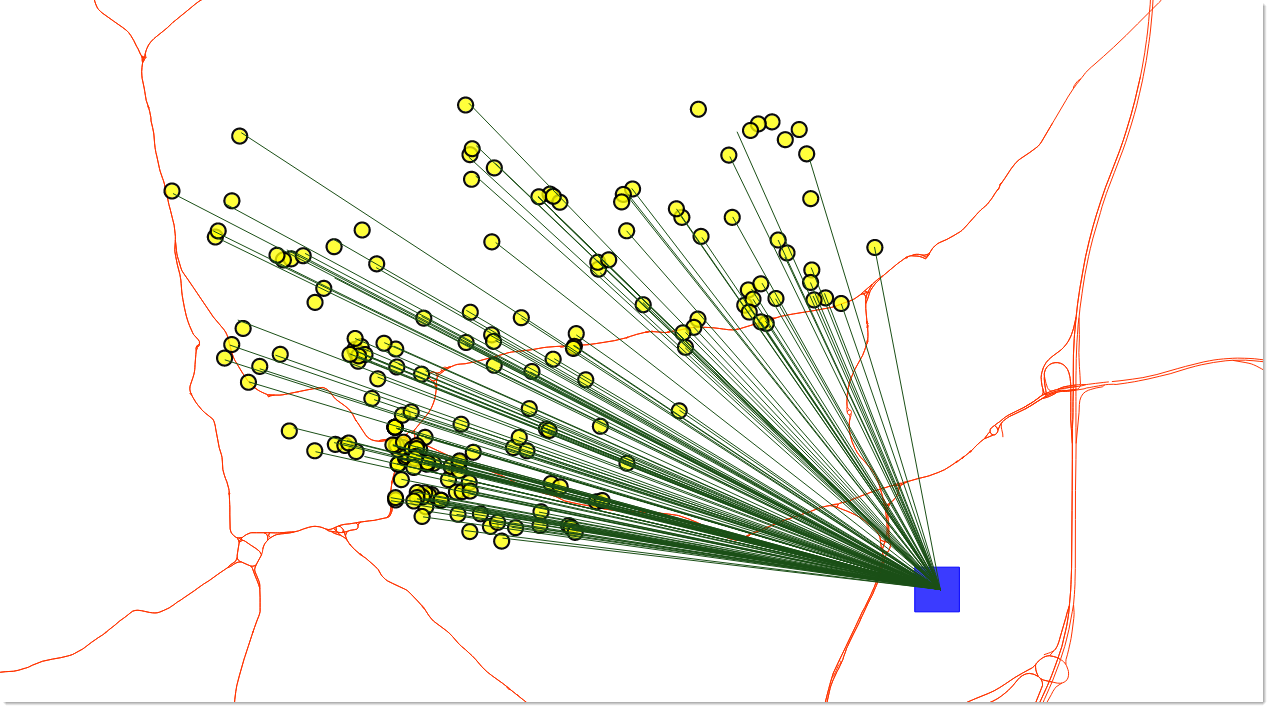
| Route | Select either Spokes or Routes. Spokes are straight lines from one point to many (e.g. a Fire Station to many Incidents). Routes are lines following the road network. |
| Search | Search Radius at 100 is meters - if your point is not on the network line, search using a radial search of 100m to find the road network. |
| Maximum | Specify a maximum 'cost' at which the search will be capped (e.g. do not display results more than 60 mins away). |
Here is an example of Routes-here Fire Stations is used for the start points. The matrix is figured for the straight line from that station to all Incidents.